
PhotoRestore - File Recover
Last Minute Flights Corp.Tools
4.034.00 Reviews
- Version
- 1.8
- Installs
- 100.00K
- Age Rating
- Everyone
Screenshots




Our Review of PhotoRestore - File Recover
 Analysis by Appyee
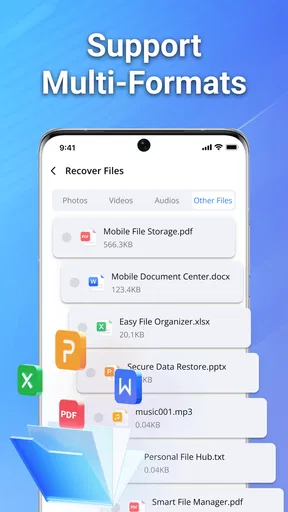
I approached PhotoRestore - File Recover as a practical recovery tool rather than a general file manager. Its purpose is straightforward: help bring back deleted photos, videos, and documents when they are no longer where I expect them to be. That makes it the kind of app I would open after an accidental deletion, a rushed cleanup, or a moment when an important file seems to have vanished.
The app is free, belongs to the tools category, and comes from Last Minute Flights Corp. It has reached over one hundred thousand installs and holds a 4.0 average from around two hundred ninety ratings. Those figures suggest that it has attracted a meaningful audience, while the rating also tells me to keep expectations realistic. Recovery apps can be useful, but they cannot guarantee that every deleted item will return in its original condition.
What I like about the concept is that it addresses a specific problem without asking me to reorganize my entire phone. I do not need a full backup suite just to look for one missing picture. At the same time, I would not treat it as a replacement for regular backups. Recovery is a second chance, not a dependable substitute for prevention.
How PhotoRestore fits into a real recovery situation
I use this section to focus on the decisions that make a recovery attempt more useful: what to check first, how to keep the search manageable, and how to judge whether a result is truly usable. One practical habit is to note the missing file’s format and approximate name before opening a recovery tool, so I can recognize the right result rather than saving every match.
The first moments after deleting something matter
A realistic use case is an accidental gallery cleanup. I might select several old images, remove them quickly, and then realize that one of them was a document photo needed for an appointment. In that situation, I would stop using the phone for unnecessary tasks and open PhotoRestore - File Recover as soon as possible. New downloads, camera shots, app caches, and other activity can make recovery more difficult when deleted storage space is reused.
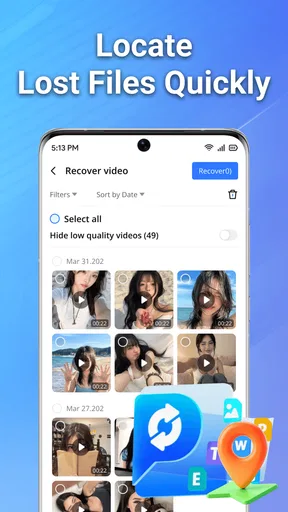
The same approach makes sense after removing a video by mistake. Rather than repeatedly searching through unrelated folders, I would use the app as a focused recovery attempt, inspect what it finds, and save only the items I recognize. That last part is important because a recovery result is useful only when I can identify the correct file and confirm that it opens properly.
Documents create a slightly different challenge. A missing image is often easy to recognize from its thumbnail, while a recovered document may have an unhelpful filename or appear beside several similar copies. I would check the file type, visible content, and destination after recovery instead of assuming that a successful result means the document is immediately ready to use.
What the app is good at, and where patience is needed
The strongest reason to try this app is convenience. It gives me a dedicated place to begin when photos, videos, or documents disappear. That is more direct than manually browsing every folder on the phone, especially when I cannot remember whether the file came from the camera, a messaging app, or a download.
Still, recovery is affected by how the phone handled the deletion. If the item remains available through a system trash area or another backup location, that route may be safer and more complete. If the storage area has already been reused, an app may find only fragments, previews, duplicates, or files that no longer open correctly. I see PhotoRestore as a sensible first attempt, not a promise that the original file will always be restored.
Older phones can also make the process feel less comfortable. The app supports Android 7.0 and later, so it is available to people using a wide range of devices, but the experience may still depend on available storage, device speed, and how much material needs to be examined. I would avoid starting a recovery search while the phone is nearly full or while I am trying to do several demanding tasks at once.
Why timing and file handling change the result
One non-obvious lesson with recovery tools is that “deleted” does not always mean “gone in the same way.” A file moved to a trash folder is different from a file removed from visible storage, and a thumbnail is different from a complete original. I would first check the phone’s own gallery or file app for a recently deleted area. If the file is there, restoring it through the original system is usually the cleaner choice.
If I then use PhotoRestore, I would avoid saving recovered material back into the same crowded location where the deletion happened. A separate folder, external destination, or other safe location can make it easier to compare results and reduces the chance of confusing recovered copies with damaged originals. This is a simple workflow improvement that is easy to overlook when I am focused on getting one file back quickly.
I would also recover the most important items first. If the app presents many results, beginning with a small group of clearly recognizable files makes the process easier to judge. It lets me test whether the recovered output is usable before spending time sorting through everything else.
Trust begins with visible choices
Because this app works with personal photos, videos, and documents, I pay close attention to the moments when it asks to inspect device content. A recovery tool cannot do its main job without access to files that I want it to examine, so I would read each Android permission prompt rather than approving every request automatically.
I would also watch for choices about where recovered files are saved, whether the app asks me to open another application, and whether any screen encourages sharing or uploading. Those are meaningful moments because recovered material may include private images, identity documents, work files, or messages saved as screenshots. My rule is simple: recover locally when possible, save deliberately, and do not grant access unrelated to the recovery task.
The developer is Last Minute Flights Corp., while the app itself is presented as a file recovery utility. That difference is worth noticing without jumping to conclusions. I would judge the experience by the permissions shown on my device, the explanations attached to those requests, and the controls visible during use. A developer name alone does not tell me how a particular recovery action handles my files.
Handling sensitive files with care
The most sensitive recovery scenario is not a lost holiday photo; it is a document containing an address, account detail, medical information, or a work attachment. Before scanning, I would consider whether the phone contains files I would rather not expose to a broad search. If it does, I would review the app’s visible controls carefully and limit the recovery task to what I actually need, whenever the interface allows that choice.
After recovering a file, I would check the destination folder and remove failed or duplicate copies. Recovery attempts can leave behind several versions, and keeping every result indefinitely increases clutter and makes later sharing mistakes more likely. I would rename important files immediately and place them in a known folder or backup location once I confirm they are intact.
I would also avoid sending a recovered file through a messaging or cloud service until I have checked that it is the correct item. A quick preview can reveal whether a photo is complete, whether a video plays beyond its first seconds, or whether a document opens normally. This verification step is more valuable than simply seeing a file appear in a results list.
Controls, permissions, and user agency
My view of a recovery app depends heavily on whether I remain in control. I want to know what I am selecting, where the output goes, and when the process is finished. If a tool makes those choices clear, I am more comfortable using it for a narrow task. If it pushes me toward broad access or unclear destinations, I become much more cautious, regardless of how attractive the interface looks.
PhotoRestore - File Recover is free, which removes a payment decision at the point of installation. That is convenient for an occasional emergency, but I would still inspect every screen rather than assuming that free automatically means simple or risk-free. The practical cost of a recovery app can be time, storage space, and the attention needed to sort through results, so I would use it with a defined goal.
The age rating is Everyone, making the app broadly suitable from a store-classification perspective. That does not remove the need for adult guidance when the phone contains private family, school, financial, or workplace material. An app can be easy enough for general use while the files being recovered remain highly personal.
The current version is 1.8. I would keep the app updated through the normal Android store process when an update is available, especially for a tool that handles local files. I would also review permission changes after updates instead of assuming that the access requested today is identical to what was requested during installation.
How it compares with the usual alternatives
The first alternative is the phone’s built-in recently deleted area. For many people, that should be the starting point because it is already connected to the gallery or file system and may preserve the original item more cleanly. PhotoRestore becomes more interesting when the built-in route does not show what I need or when I want a separate recovery-focused search.
The second alternative is a backup service. A backup is generally better for protecting important files before deletion because it preserves a known copy rather than trying to reconstruct one afterward. If I already have a reliable backup, I would restore from that source before experimenting with recovery results. PhotoRestore is more useful for the gap between accidental deletion and having no convenient backup copy.
A third option is a desktop recovery program or professional data-recovery service. Those choices may be more appropriate when the missing material is business-critical, the phone has storage damage, or the file is worth paying specialized attention to. They can also be more complicated and less convenient than trying a mobile tool first. For an ordinary accidental deletion, I would begin with the phone’s own recovery area, then consider this app, and escalate only when the file’s importance justifies it.
Compared with a full file manager, PhotoRestore has a narrower purpose. A file manager is better for organizing folders, renaming items, moving content, and checking storage. This app is better suited to the moment when I am specifically looking for deleted media or documents. I would not install it expecting a complete replacement for everyday file organization.
Who should try it and who should skip it
I think PhotoRestore is a reasonable choice for someone who wants a free, focused attempt at recovering a recently deleted photo, video, or document on an Android phone. It is especially practical for users who do not have a current backup and want a simpler first step before considering a computer-based solution.
I would be more hesitant to recommend it as the main protection for irreplaceable files. People managing family archives, client documents, school records, or professional media should build a backup routine instead. Recovery apps are affected by storage behavior and file condition, so depending on one after every accidental deletion creates avoidable risk.
I would also skip it for a phone with suspected physical storage failure or for a case where the file is legally or financially essential. In those situations, repeated attempts and new writes may complicate matters, and a specialist approach may be more appropriate. The app is best viewed as a practical, low-cost attempt for ordinary mistakes, not as forensic equipment.
My cautious verdict after weighing the trade-offs
PhotoRestore - File Recover earns its place as a focused tool for a frustrating problem. I like that its purpose is easy to understand, that it is free to try, and that it targets the three file groups people most often regret losing: photos, videos, and documents. Its audience size and 4.0 average indicate useful interest, but they do not remove the technical limits that apply to deleted storage.
My recommendation comes with a clear routine: check the phone’s own trash first, stop unnecessary activity, review permissions, search only for what matters, save results somewhere safe, and open each recovered file before trusting it. I would then create a proper backup for anything important. The best experience comes from treating the app as a careful recovery attempt, not as a guarantee.
For a recent accidental deletion, I would be comfortable trying it, provided I remain attentive to file access and save locations. For sensitive material, I would be deliberate at every permission and sharing step. For critical or damaged data, I would choose a dependable backup or professional recovery route instead. That balance is why I see the app as useful for everyday emergencies, but not as a replacement for responsible file protection.
Verdict
Strengths of PhotoRestore - File Recover
- Simple interface makes photo recovery easy for beginners.
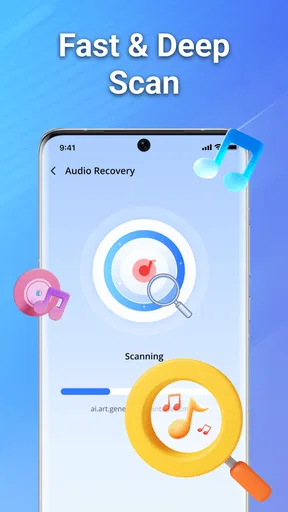
- Scans storage quickly for recently deleted images.
- Preview recovered files before saving them.
- Supports common image formats for broader recovery options.
- Useful for recovering photos deleted by accident.
Limitations of PhotoRestore - File Recover
- Recovery success depends on whether deleted data was overwritten.
- Some features may require a premium subscription.
- Deep scans can take longer on large storage spaces.
- Recovered files may lose their original quality or metadata.
- Privacy details should be checked before granting storage access.
Similar Picks in This Category
View All
Google LLC4.0

Gboard - the Google Keyboard
Google LLC4.5

Google Play services
Google LLC4.3

Google Play Store
Google LLC4.9

Files by Google
Google LLC4.5

SHAREit: Transfer, Share Files
Smart Media4U Technology Pte.Ltd.4.3
Frequently Asked Questions
What is PhotoRestore - File Recover, and what can it recover?
PhotoRestore - File Recover is designed to help users search for deleted or missing media files on an Android device. Depending on the phone model, storage condition, permissions, and time since deletion, it may locate photos, videos, or other supported files that are still present in recoverable storage areas. It cannot guarantee that every deleted file will be restored successfully.
Does PhotoRestore - File Recover require root access?
The app may offer basic scanning without root access, but deeper searches can depend on the Android version, manufacturer restrictions, and the type of storage being examined. On some devices, root access may improve the available scan depth, while on others it may not be supported or recommended. Check the app’s current requirements and permission requests before starting a scan.
Can PhotoRestore recover photos deleted a long time ago?
Recovery success depends largely on whether the deleted data has been overwritten by new photos, videos, downloads, or app activity. Recently deleted files generally have a better chance of being found, especially when storage use has been limited. If an important image is missing, stop saving new data to the device and run a scan as soon as possible.
Is PhotoRestore - File Recover free to use?
The app’s free features, scanning limits, advertisements, and recovery options may vary by version and platform. Some functions can be available without payment, while advanced recovery tools or an ad-free experience may require an in-app purchase or subscription. Review the pricing details shown in the official store listing before confirming any purchase.
Is it safe to give PhotoRestore access to my files and photos?
A recovery tool needs storage or media permissions to scan for files, but users should still review exactly what access is being requested. Install PhotoRestore only from a trusted official source, read its privacy information, and avoid granting unrelated permissions. Recovery results may include sensitive images, so handle previews and restored files carefully, particularly on shared devices.
